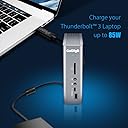
⚡ Elevate your workspace — power, speed, and style in one sleek dock!
The CalDigit TS3 Plus is a premium Thunderbolt 3 dock offering 87W laptop charging, 15 high-speed ports including dual 4K display support, USB-C Gen 2, and a UHS-II SD card slot. Compatible with Mac and Windows, its robust aluminum build and fanless design deliver silent, reliable connectivity for demanding professionals.


| ASIN | B07CZPV8DF |
| Best Sellers Rank | #17,964 in Computers & Accessories ( See Top 100 in Computers & Accessories ) #920 in Laptop Docking Stations |
| Brand | CalDigit |
| Color | TS3 Plus - Space Gray |
| Compatible Devices | MacBook Pro,Computer Or Tablet With Thunderbolt 3 Port,Computer Or Tablet With Thunderbolt 4 Port |
| Customer Reviews | 4.4 out of 5 stars 4,570 Reviews |
| Hardware Interface | Thunderbolt, Thunderbolt 4, USB 3.0 Type C, USB 3.1 Type C, USB 3.2 Gen 2, USB 3.2 Gen 2×2, USB Type C Hardware Interface Thunderbolt, Thunderbolt 4, USB 3.0 Type C, USB 3.1 Type C, USB 3.2 Gen 2, USB 3.2 Gen 2×2, USB Type C See more |
| Item Dimensions L x W x H | 5.03"L x 1.85"W x 6.1"H |
| Item Weight | 1.3 pounds |
| Manufacturer | CalDigit |
| Mfr Part Number | TS3PLUS-US07-SG |
| Minimum Required Operating System Version | Mac OS 10.12 Sierra, Windows 8 |
| Model Number | TS3PLUS-US07-SG |
| Number of Items | 1 |
| Number of Ports | 15 |
| Product Dimensions | 5.03"L x 1.85"W x 6.1"H |
| Total USB Ports | 7 |
| Total Usb Ports | 7 |
| Unit Count | 1 Count |
| Warranty Description | 2 Year Manufacturer |
| Wattage | 85 watts |
R**D
Don't look at any other docks. You want THIS ONE!
*** IMPORTANT PRODUCT UPDATE AT THE CLOSE OF THIS REVIEW *** I am going to make an admission.... I have done paid reviews for Caldigit in the past. They are a company I discovered a few years ago upon researching power docks for my various MacBooks which I have seemed to upgrade with every refresh. Since I run a website dedicated to computers, they were happy to send me their products to review on my site. This is not a paid review. I actually paid $300 for this TS3 Plus dock. However, the point I want to make is that I did so based on my experiences with their other docks I have used (that are still going strong today). I also continue to use their products because their support is second to none. One of my older CalDigit docks failed well over a year ago. It was a problem with the power supply. CalDigit immediately sent me a new power supply at no charge. Then, over the past few months, I was having issues with the dock not powering on. After back-and-forth discussion with their customer support team via email, we discovered the problem was the Thunderbolt cable I was using and not the device itself. Over the years I have had many conversations with their customer support team and I find them to be exceptional. I want you to know this because you need to be assured by someone that when you buy a CalDigit product you are going to also be getting first-rate customer support that will honor the warranty behind your product. In the case of the TS3 Plus..... I wanted to get rid of my iMac and use my 2017 MacBook Pro instead. Why pay to have a desktop AND a laptop when you can use the MacBook Pro as both? Now I simply take the laptop off my lap, and with a single cable connection, I plug it into the TS3 and I have my laptop displayed across my 54" 4k television. With a multitude of USB inputs, I have a keyboard, trackpad, and scanner at my disposal. An optical wire goes directly from the dock to my Logitech surround system. In the front, I have a slot for my camera's memory card as well as an additional USB plug in case I want to quickly insert a flash drive. Yes, this is an expensive dock. And, this was oddly not my first choice. I like the form factor of the OWC Thunderbolt 3 dock similarly priced as this one. However, have you read the reviews on the OWC dock? They are horrific. Once I read those less-than-stellar reviews I had no issue going with CalDigit. I was already aware of the superior quality of their docks and judging from the positive reviews I have read on Amazon, I see I am not alone in my raves about this dock. It just works! If you need to find a really good display port to HDMI adapter for this particular dock, I have a really good recommendation. Do click on my name to find my reviews. UPDATE (7/2018): I had a hardware issue with this dock. I contacted CalDigit Support and they arranged to have it sent back to them. They kept in constant touch with me regarding the repair. According to CalDigit, there was nothing wrong with the unit and it was working fine on their end. Nevertheless, at my request, they sent me a new unit without question. I am continually amazed at my interactions with CalDigit support and it certainly seems they go out of their way to make certain the customer is happy.
I**K
This is the docking station you need with the new Apple MacBook Pros.
Yes, it's expensive but you get what you pay for with CalDigit's TS3 Plus. While I was also one of the many to bemoan the "lack of ports" on the new 2018 MacBook Pro 15", with a dock like this, you see the value of having four full speed TB3 ports on the MBP. You can either go with multiple dongles or you can go with one portable TB3 dock that you can put away in your laptop bag to use on the go and set up this TB3 Dock from CalDigit on your desk. The TS3 Plus is almost perfect. Lots of ports including many legacy ports for your older devices that use USB-A cables. I do wish the TS3 Plus had even more USB-C ports. But maybe they hit a power limit? I don't know. Everything simply works when using this with a MacBook Pro. One single cable goes from the TS3 Plus to any of the four open TB3 port on the MacBook pro. The one "con" i've noticed is that if my iPad Pro (2018) is low on battery, say under 60%, the TS3 Plus will charge the device but the "USB device using too much power" message constantly pops up in MacOS. Connecting the iPad Pro directly to the MacBook Pro works fine but the TS3 Plus wired thru TB3 to the MBP seems to be a challenge. Granted, I had two external drives and my iPhone and a 4K monitor connected at the same time so it could just be a bandwidth issue. I'm not complaining. Just saying :-) **EDIT**: Yeah, it's a bandwidth issue. If the iPad's battery is super low, don't connect it to the front USB-C Gen 1 port. MacOS will complain it's taking up to much power and you cannot sync anything (it will continue to charge, though). You can leave it like this and ignore the popups from MacOS and once the iPad is at 90%, the popups will go away. Presumably because the charging portion isn't using up a lot of the bandwidth. Instead, if the iPad battery is super low, use the rear USB-C Gen 2 or Thunderbolt ports instead. MacOS won't complain and you can charge and sync at the same time. Phones don't seem to have this problem. Probably due to much smaller battries. Everything travels along that single TB3 cable. Power, data, everything. The TS3 Plus provides enough power to keep the 15" MBP charged. Put away the charger you got from Apple. Leave that in your laptop bag, too. I love the DisplayPort 1.2 connection available on the TS3 Plus. 4K/5K at 60 HZ. Single port only so if you want to set up a dual monitor rig, you'll want to get a USB-C to either DP or HDMI for the second monitor. There's an extra USB-C TB3 port on the back of the dock you'll use for that. Well, that's about all I can say about this dock. Well done, CalDigit!
S**R
So nice, I bought a second one
I have two of these and two MacBook pros. One is in my office, the other is used with my digital piano for recording. I swap the two laptops between the docks from time to time and it works great. There were some hiccups initially which caused me to have to restart my computer a few times but those appear to have been fixed (maybe with a software update to Mac OS?) Honestly just the fact that it provides power to my laptop and peripherals (independently) is half the value right there, but having a one-cable solution for peripherals and power is super useful. Sometimes I use the power delivery capability of this device without even having a computer hooked up. For example, my digital piano is hooked up to an audio interface which is plugged into (and powered by) the CalDigit TS3. Since power is delivered to the audio interface without a computer being hooked up, I can practice piano without a computer. Then, when I do plug in my computer I can immediately start recording and it works pretty seamlessly. I usually have 4 USB devices and a monitor hooked up simultaneously and it has never been a problem. Also prior to having this device, I was having issues with MIDI having high latency but that seems to have been solved when I hooked up my keyboard to the CalDigit TS3, so that was one less problem I had to solve. Prior to the CalDigit TS3, I had some cheapo dongle which was carrying the MIDI data. I was reluctant at first because of the high price tag... but you get what you pay for. It's a workhorse, and great for new laptops that only have Thunderbolt connection. One last thing... this thing is NOT portable. It's heavy, and has a huge power supply. That's why I ended up buying two. I didn't want to lug this thing between my office and digital piano every day. It was pricey, but it has without a doubt improved my quality of life considering how much time I spend using it.
D**1
Updated after 1 year: Works perfectly with MacBook Pro 2020
New review using the MacBook Pro 2020 (i7 Quad Core with 32GB of Ram, a 1 TB SSD, and 4 Thunderbolt 3 ports): I have been using my Macbook Pro 2020 and the CalDigit TS3+ as my "daily driver" for about a year now. I had some minor issues when using it with my Lenovo prior to getting my Mac, but they were resolved with some updates. It's an excellent dock and I have had no problems with it for the past year. The dock has never even been restarted. I'm listing all of the apps and CalDigit TS3 ports that I use to show how stable the combination is: I use my Mac for work and run several VPN's and remote connections to clients' offices, as well as all MS Office apps, Zoom, Edge and Chrome, Snagit, a time tracking application, Teams, and a few other apps. I also run VMWare Fusion once in a while when I have to use a Windows computer. That runs on a USB-C external enclosure from Plugable that is directly connected to one of the Mac's Thunderbolt ports. I have plugged it into the CD TS3 with no trouble, but as I don't use it often, it's easier to reach the port on the Mac. I have two older Dell displays, one 1920x1200, using the CalDigit TB3 to DisplayPort, and one 1920x1080, that uses the CalDigit DisplayPort to DisplayPort. I don't usually have my laptop open, but at times I want an extra screen to keep an eye on email and will pop it open with no problem, giving me a total of three displays. Both displays work exactly as they should. I use a Logitech MX Keys keyboard and the MX Anywhere 3 Mouse. The dongle for those is plugged into the front USB-C port using a C to A cable. There is a Logitech Brio webcam plugged into the front USB-A port. There is a Plantronics BT600 dongle plugged into a rear USB-A port. I have the Ethernet port plugged into a 1 Gb switch. Speed tests and file transfers work as expected. I have a Seagate 2TB Backup Plus external drive plugged into a rear USB-A port for Time Machine. The point is that it all just runs! The setup runs 24/7 as there are certain things that run overnight. The CD TS3+ keeps my laptop charged and runs everything with no communication issues or speed problems. As I don't have Thunderbolt 4, there is no reason for me to update anything...until I get a new MacBook in a couple of years! --------------------------------------------------------------------------------------- Old review from when I used it for my Lenovo laptop for about 3 months: I've only had this a few days, so I will just point out a couple of things. I am using Windows 10 Pro on a Lenovo Thinkpad X1 Yoga and it has the most up-to-date firmware and drivers available. The CalDigit support site is terrible for Windows users. Everything regarding drivers and firmware is for MAC only. It makes no mention of Windows. I thought that maybe I bought the wrong device until I looked at the product page and it does say it is for Mac and Windows. In fact, on the product page, it states: "The TS3 Plus provides up to 87W charging for Mac & Windows Thunderbolt 3 laptops. A firmware update is required. For more information, please visit our KB article here. The charging feature may vary depending on the design of your Windows Thunderbolt 3 laptop. Check with the system manufacturer for more information." When you click on their link, it takes you to a page that only provides Mac info. Even though they claim you have to update for Win and Mac, there's no mention of Windows on the page. I found a Windows firmware update for the device by doing a Google search, but I could not update the TS3's firmware. I received an error about missing software. Another Google search shows some info, but the link doesn't provide any useful info. I tried updating or installing anything I could find to no avail. So: The network jack wouldn't work. My keyboard, which is USB, wouldn't work. I was desperate. Finally, I found an Intel program called "Thunderbolt." I ran it and the TS3 started working. I really want to find a way to upgrade the firmware as it supposedly provides some functionality missing from the shipped version. Getting accurate monitor setup information is not easy. More to follow.
M**S
Late 2016 MacBook Pro - Faulty unit initially
Late 2016 MacBook Pro. Mostly OK. Two LG 4k monitors connected via Displayport and USB-C to Displayport cables. Sometimes they don't wake from sleep correctly, and one or both monitors don't show a display. Sometimes opening the MacBook screen works, but mostly I have to restart. Other than that it seems to work as expected. USB items work correctly, MacBook gets powered. It would be better if there was an audio out on the back panel, rather than the front - just makes it look untidy. Overall I'm satisfied, but not wowed. *Update 08/01/2018* This is getting worse and I'm now having to restart 2-3 times a day after waking the system from sleep. It looks like it's unable to support the throughput required for 2 4k displays. It also only charges iOS devices 50% of the time. It's a real pain to find my iPhone hasn't charged overnight, and is at 5% power. Quite likely I'll toss the TS3+ in the trash and just go back to everything connected the the MBP. What a waste of time and money. *Update 09/19/2018* Continued issues with screens not waking from sleep; swapped cables and still no better; then it stopped charging my MBP (had to charge from Apple power unit), and the speakers wouldn't work from the audio connection. (They worked correctly when connected directly to the MBP.) I spoke with Chad at CalDigit technical support, who was very helpful, and detailed all the issues and tests I'd done. CalDigit sent a replacement TS3+. I switched units, leaving the original power supply and cable, and now everything is working perfectly. Screens wake from sleep 100%, there are no power issues, and the speakers work properly. Looks like it was a rogue TS3 unit. Review changed to 4*. *Update 07/20/2020* Unit continues to operate mostly perfectly. There are still some issues with monitors not waking from sleep correctly, but either cycling the power (with under-monitor button) or re-setting the monitor (unplugging power cable) resolves the issue in 99% of cases. However, it's unclear whether this issue is with the TS3+ or with the monitors themselves. *Update 10/23/2023 Switched from the 2016 MacBook Pro to a 2021 Mac Mini (M1), then to a 2023 MacBoo Pro (M2). CalDigit TS3+ has performed perfectly with no issues at all across the new systems. With the exception of having to eject my backup drive I can just unplug the TS3+ and walk away with the laptop. Review changed to 5*. Overall, I'm very satisfied with my purchase and I would replace it with another unit from CalDigit if needed.
J**Y
Fantastic port replicator, lets you do ANYTHING, compensates for poor Macbook Pro design
Apple really screwed up the Macbook Pro 13" design by providing only two Thunderbolt ports and no other ports at all. That's fine if you use your Macbook as a toy but if you are using it for work, you need monitors and peripherals and while "anything" can be plugged in to the Thunderbolt ports, that can only be two at a time. If you have two external monitors you can't even plug in the charger! I did a lot of research on port replicators for this laptop and there are very very few available that do a proper job. I wish I stuck with Dell. But I digress. In the end I chose this Caltech dock and I'm very happy. I can just plug in one Thunderbolt cable to my laptop, and I instantly have access to two external 1900x1600 Dell monitors, one of them turned sideways (the dock supports up to 4k with two monitors), my wonderful Cherry MX USB keyboard, my teleconferencing headset, a charging cable for the magic mouse and a bunch of other USB nicknacks. The dock has its own power pack and supplies power to the laptop so I can keep the laptop's own charger at a different location. Most important though is 2 monitors + power. None of the cheaper docks allow you to do this with the 13" Macbook Pro (unless you have the more expensive Macbook with 4 Thunderbolt ports). This dock is expensive, but not more expensive than the very few comparable ones and it seems to be the best one. With this dock I was able to re-use most of my existing cables and only had to buy one expensive special cable. The dock came with the dock-to-laptop cable. I could use my existing DP-to-DP cable for one of the monitors. For the other one I had to buy a Thunderbolt-to-DP cable. The dock has separate microphone and headphone jacks, which happens to be what my headset needs as opposed to the cellphone-style 4-tip single socket that the Macbook has. The dock has LOTS of USB ports, which made me very happy. I do not need any external USB hub. It's such a nice dock, I wish I could buy another one for the other location I use my laptop. But I only have one monitor there, so there are much cheaper alternatives. The high price is the only thing I don't like about this dock. FYI Apple does not do NEARLY as nice a job as Windows at remembering hardware configurations. Every time I re-dock I have to re-configure the monitor arrangement and re-select the Caltech audio device. That's not Caltech's fault, it just does not seem Apple was meant for serious work users.
A**N
Slowly died over 3 years (USB ports stopped working)
I purchased this dock in February 2021 and would not recommend this product due to its inability to support Bluetooth peripherals and the lack of longevity for its USB ports. I don't have an exact timeline on things, but here's a breakdown of how this docking station slowly died on me: - First received. Works great! Connected Bluetooth mouse, Bluetooth keyboard, one monitor, a webcam, ethernet connection. Bought it with the intent of being able to quickly switch between my personal laptop and work laptop :) A little annoyed that I had to purchase an HDMI to displayport adapter, but I read enough reviews to know that was going to be a (fixable) issue. - First, minor sign of trouble: webcam feed was extremely buggy. My logitech webcam, connected via a USB A port, would flicker on/off consistently, very annoying. Since I didn't use my webcam too frequently, I decided to connect my webcam directly into my work laptop whenever I needed to use it. Slight inconvenience but wasn't a frequent occurrence. - Second, major sign of trouble: Bluetooth peripherals, including keyboard and mouse dongles, stopped working when connected to the docking station. When connected directly to my laptop, both items were fine, so I knew it wasn't the keyboard nor mouse. Did some troubleshooting with CalDigit and customer service said that their dock doesn't guarantee compatibility with Bluetooth peripherals. What?! That's.. strange. But ok, that's on me for not understanding its limitations. After doing my own personal troubleshooting and research, I decided to do two things: buy a USB-A hub with its own power delivery and to play with the location of the dock to see if I can lower any interference. Through trial and error, I realized the combination of both actions improved things immensely. My keyboard, mouse, and webcam were connected to my USB-A hub, which was then connected via USB-A port on the CalDigit. AND my docking station moved to reduce interference. Worked well for a long time! Again, annoyed that the USB-A ports didn't just work, but I also didn't want to spend $$ on a whole new dock at the time. The small investment in the hub ended up just buying me time. - Most recent and final of trouble: again, mouse and keyboard stopped connecting. Did basic troubleshooting. I tried plugging in the mouse and keyboard directly to my computer. Worked. I tried plugging in the mouse and keyboard back into the hub, then the hub directly into my laptop. Worked. Tried plugging the keyboard and mouse directly into different USB ports of the Caldigit. Nothing. Tried plugging in the keyboard and mouse into the hub then into all the different ports of the docking station. Nope. Tried plugging in a flash drive into my personal laptop and the computer read that. Tried plugging in the flash drive into all USB ports. Computer didn't recognize it. Figured at this point, all the USB A ports were dead :( I didn't want to buy a whole new dock, so I tried one last thing: i bought a new USB hub, but this time with a USB-C connection since, to my knowledge, all my USB-C ports were working. Got the new USB hub, plugged in all my stuff, plugged into the CalDigit, nothing. Similar process as described above; a lot of trial and error and plugging things in/out. That's when I realized my two unused USB-C ports also did not work. To tally: out of the 4 USB-C ports, 2 stopped working. out of the 5 USB-A ports, all 5 stopped working. I never used the SD card slot nor the audio ports, so I can't provide a status update on them. However, to have more than half of my USB ports stop working is awful. Shame - It's been difficult to find another docking station that had as many USB-C ports.
J**Y
Works great with new 16inch Macbook Pro... I Definitely recommend to high end macbook pro users
UPDATE: Over a year later and I am back to buy a second one for my wife... Still my favorite macbook pro hub. I've only had this for about an hour, but so far it's already proving to be a fantastic investment. Working great on my brand new 16 inch macbook pro... with my dell 32" 4k monitor running through the dock. Wish I would have just spent this money to start... Probably spent more than this amount on all the cheaper ones I tried, that failed, before I ended up here hahaha. This thing is bigger and heaver than expected, but very well made, and not terrible looking (could be sleeker, but not bad)... It has a legitimate power source, so once you get everything plugged into it, you only have one cable that connects to your macbook, and that cable charges the macbook as well. So not like with other hubs where you still need your power cube pugged into your machine (was able to put my apple power cable away). No crappy usb 2 ports taking up useless space on this dock, all usb 3. And the card reader is very nice... Reads my Sony a7rIV cards (SD XC II) no problem. couldn't even get these cards to insert into any of my cheaper hubs. I almost lent too much credit to the bad reviews on this dock, but so glad I decided to try it for myself. I'll report back if any issues arise, but so far I am just impressed. I was using a hyperdrive before, which worked OK (for a fraction of the money), But do to my specific config, I had both usb-c ports used in that, then had to plug my monitor into the macbook itself, so every time I wanted to go mobile with my laptop, I had to eject my external drives and unplug the hyperdrive, then unplug the monitor from the other side, then I could take the machine with me (so you definitely get some convenience back with the CalDigit dock). The other issue was that every time I put a memory card into the hyperdrive reader, if I jiggled the hyperdrive just a touch too much it would force eject all my external drives, as if I had just unplugged them without ejecting first, and I have had 3 different hyperdrives (used one several different macbooks) and they all behaved that way, so it's a flaw with those units. I can definitely recommend this particular product to high end macbook pro users.
R**F
about connection.....
what i have already connect to ts3 plus from my other devices. they are a lan cable between ethernet switch,netgear s8000 model gs808e to the port of gigabit ethernet on the dock.this switch have a lan cable with the router netgear x6s r800p. and this router have a lan cable to the modem. they are a thunderbolt 3 cable between the dock and my laptop asus zenbook pro 15 model ux580 ge. at this point make sure your laptop or computer are compatible with thunderbolt 3 technology. the laptop must have one or two ports usb 3.1 gen 2 type c. if you buy this dock, do not buy the thunderbolt 3 cable because it is include with the dock. other ports i use on the dock is a digital optical cable between a soundbar samsung hw-h750. the subwoofer of the soundbar can work wi fi. choose a high quality optical cable with the end in metal. i use a dp cable between my monitor samsung u28d590d and the dock. also i use a usb cable between the printer hp envy 4500 and the dock. buy a cable with a square port for the printer. with a lot of ports usb 3.1 gen 1 type a you can connect your smart phone like s10 plus or your tablet like tab s4 or a portable external drive like my passport ultra from wd. your headphone are plug in the front of the dock.i have not use yet the sd card reader. on the back of the dock they are a second port of thunderbolt 3,probably use if you want to connect a second laptop.many other use of this dock. i still have another hdmi cable between my laptot and the av receiver because with a arc hdmi port,the t.v., the blu ray player and the av receiver work together.i can send any content from the laptop to the t.v. with 5.1 surround sound. i can garanty this dock work very well with window 10. as you can see i don t have any apple product.i prefer cable to wi fi for obvious reason.i recommand without hesitation the caldigit ts3 plus.welcome to the 21 st century.ENJOY!
S**I
Arrived on time with great package
I would recommend this to anyone that has a standing desk and wants to mange their cables
B**E
Excellent dock. High quality overall
- Drives two DisplayPort 1080p monitors no problem - Runs well with MacBook Pro lid closed. No weirdness (SMC resets needed) when powering up from cold or rebooting unlike other docks - Stays cool while running, and MacBook pro stays cool when sleeping. Previous dock I had was always warm and MacBook was warm even when sleeping - Substantial construction. Enough weight so it doesn't fall over with many cables plugged into it Running 2017 MacBook Pro with two Dell U2417H monitors connected via DisplayPort. One monitor using https://www.amazon.ca/gp/product/B073XTY6NL/
A**K
El mejor adaptador del mercado
Probablemente de los mejores accesorios que he comprado, lo utilizo con una Mac mini y me ha solucionado todo el problema de los cables y conexiones, es un producto ya consolidado en el mercado que a pesar de que ya tiene sus años, sigue siendo 100% recomendado. La calidad es muy buena y justifica su precio.
I**C
Excelente para centralizar dispositivos.
Es una buena herramienta para utilizar múltiples monitores y dispositivos al mismo tiempo y con excelentes velocidades. Funciona en Mac y Windows sin problema, recomiendo descargar las actualizaciones de la página de CalDigit para su funcionamiento óptimo.
Trustpilot
1 month ago
3 days ago