Desertcart purchases this item on your behalf and handles shipping, customs, and support to Norway.
🚀 Elevate your digital workspace with Synology DS224+ — where speed meets security!
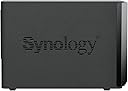
The Synology DS224+ 2 Bay NAS Desktop is a compact, high-performance network storage solution designed for home and small business users. It offers fast data transfers, centralized multi-platform access, robust backup tools, and built-in data management features, ensuring your digital content is secure, organized, and always within reach.
| Asin | B0CBYZWF3Z |
| Best Sellers Rank | 10 in Network Attached Storage (NAS) Enclosures |
| Guaranteed Software Updates Until | unknown |
| Item Model Number | DS224+ |
| Language | English |
| Product Dimensions | 16.5 x 24.5 x 23.32 cm; 1.3 kg |
| Release Date | 9 Aug. 2023 |
T**M
[Synology DS224+]:- A Robust and Feature-Rich Storage Solution
Usage and Initial Impressions: After two months of using the Synology DS224+, I can confidently say this NAS has exceeded my expectations in almost every aspect. Serving as the central storage hub for my household and family, the DS224+ replaced several outdated servers, effortlessly taking over their roles while adding new functionalities. The primary uses for this NAS include storing media collections (movies, TV shows, and music), backing up photos from our phones, and managing documents through Synology Office. It has significantly reduced our dependence on cloud services like Google Drive and phone manufacturers' cloud storage, providing a secure and private alternative. Upon unboxing, the NAS impressed with its minimal yet functional packaging. The device itself feels solid, well-built, and surprisingly intuitive. Concerns about cooling and vibrations were quickly dispelled as the NAS ran smoothly without any issues in these areas. Setup and Installation: Setting up the DS224+ was mostly straightforward, with one minor hiccup related to a RAM upgrade. I initially tried installing a 16GB RAM module (despite Synology's official limit being 4GB extra), which caused the NAS not to boot. After removing the module, the setup process proceeded without issue, and I later reinstalled the RAM successfully, bringing the total to 18GB. DSM (DiskStation Manager) 7.2.1-69057 Update 5 was installed without a hitch, and the documentation provided by Synology, along with online resources, made navigating the settings and customization options manageable. Performance: The performance of the DS224+ has been outstanding. Even with multiple users connected from various locations across the UK, the NAS handles tasks with ease. CPU usage remains low, even under load, and file transfer speeds are excellent, averaging around 80-100MBps over a single LAN port. The collaborative features, such as document editing and calendar syncing, work in real-time with minimal latency, providing a seamless experience. Features: The DS224+ is packed with features, many of which are customisable to suit individual needs. From Docker support to third-party app installations, the NAS offers flexibility and power. However, I would caution against installing every available package, as some third-party apps in the official package centre are outdated and may have security vulnerabilities. Despite this, the overall functionality and expandability through Docker and other means are impressive. User Interface and Software: The user interface is a hybrid of a desktop and mobile environment, providing a unique but familiar experience. While Synology excels in offering a range of features and customisation options, there are a few shortcomings. For example, the lack of a consistent dark mode across applications and the continued use of American English in the UI despite selecting British English are minor annoyances. Additionally, the outdated third-party apps in the package manager pose a security risk, which Synology should address. Storage Capacity and Expandability: With two 12TB hard drives (Sold Separately) configured in SHR-1, the DS224+ provides ample storage with fault tolerance, ensuring data safety. While the two bays are sufficient for my needs, others may find the capacity limiting. Synology's storage calculator is a helpful tool for planning your configuration, and I recommend using drives of the same size for optimal results. A word of caution however: Do not buy hard drives from Synology. They're overpriced. Noise and Cooling: The NAS offers customisable fan speed settings, allowing you to prioritise cooling or noise levels. Even at maximum speed, the fan noise is minimal and not disruptive. During a recent heatwave, the balanced setting maintained optimal temperatures without issue. Value for Money: Initially, I was hesitant about the price, given my previous experience with a subpar NAS. However, the DS224+ has proven to be worth every penny, and more! Its performance, reliability, and extensive features make it one of the best purchases I've made in recent years. Issues: While the DS224+ excels in many areas, it does have some software-related drawbacks. The outdated third-party apps in the official package manager and the inconsistent dark mode implementation are areas that could use improvement. Additionally, Synology's claim that the maximum RAM capacity is 4GB is misleading (but in a good way, I guess), as I successfully installed 16GB. Potential buyers should research compatible RAM options before upgrading and always check Amazon reviews if getting it from Amazon; look for mentions of "Synology" and "Synology NAS". Final Thoughts: Despite its minor shortcomings, the Synology DS224+ is a powerful and versatile NAS that delivers exceptional performance and value. It’s ideal for those looking to centralise their storage, reduce dependency on cloud services, and ensure data security. I highly recommend it, giving it a solid 5/5.
B**E
Cannot recommend enough, If you’re on the fence jump off and grab one of these straight away!
£310 at time of review If you’re here then you’ve likely already done your homework about varying NAS systems… I’ve been in the tech business many many years, and while I’m no networking aficionado I know the difference between an RJ45 & an RJ11 ;) but I can say hands down Synology lead the way when it comes to NAS software that is easy to use. If you really really know what you’re doing then you’ll likely grab a different NAS system as Synology are a bit like Apple, you pay extra, but what you get is ease of use… it just works! So if you want something that you can set up in no time yet can still get under the hood and tinker if you want of need too then seriously look no further (I’ve recommended Synology to many of my clients over the years and they’ve always thanked me) I have this particular model at home, I have a couple of 16TB Exios drives in it, running in a Raid 1 configuration, so mirrored continually. Frustratingly this only has two 1G network ports, although for the majority of home users this will be fine, especially if you’re connecting to it over WiFi anyway! But you can always attach a 2.5Gbps adapter (although this is not supported natively by Synology, you’ll need to do a bit of tinkering and installation yourself but there’s easy enough tutorials to follow online). Talking of which, if you haven’t already, check out Space Rex on YouTube, the guy is a Synology guru, what he doesn’t know about Synology systems isn’t worth knowing! NAS Compares is also a good channel, although a lot more technical and mainly a comparison channel (hence the name!) So if you’re looking to have a system to run your Plex or JellyFin library this is great as it has an intel CPU with integrated gfx acceleration, meaning 4K HEVC streaming across your network without the need to transcode, the integrate photos app and mobile apps, means you have your own private iCloud or Google photos library at home for the whole family to share, all with your own private areas for photos, videos, documents and mobile phone or computer back ups, and sharing photo libraries or files with friends and work over the web etc is easy too. Plus if you have your own security cameras etc, then all that footage can be stored locally too, plus running your own home automation using home bridge or hoops etc is easy to set up and get running too Some reviewers mention noise… the NAS itself it completely silent, the noisy bit from time to time will be the hard drives, so it will depend on which drives you get, and yes they can click away at times when it’s doing a back up or indexing a load of photos and videos, so don’t expect to leave this on your bedside table ;) but they’re not that noisy, and certainly not as annoying as a high pitch fan… plus you can leave this pretty much anywhere, it’s relatively small, as long as it’s in a ventilated space it will be happy, tucked away behind your sofa, or on top of a book shelf beside your WiFi router you’ll forget it’s even there most of the time. Oh and upgrade the RAM, a 4Gig SIMM should cost around £25-30 I honestly can’t recommend having a NAS at home enough! for the modern family (or a small home office), it means everyone’s photos and precious memories and files are all stored centrally and easy to back up… and remember, just because it’s running in Raid 1 so mirrored mode, that’s not a back up! Yes it saves you from a hardware fault as you can hot swap out a hard drive should one of them ever fail (highly unlikely if you use server grade drives), but do get a large external hard drive too and back up the whole thing either automatically or manually, then you can keep that drive in your office or at a relatives, so you always have that back up in case disaster strikes or someone breaks in and steals your NAS! Hope my review was helpful
A**S
Original review + 6 month update
ORIGINAL REVIEW --------------------- I'd been thinking about a NAS for a while. Primarily for data storage which, up untill now, I was just doing to an external hard disk drive. I kept putting it off thinking it was a lot of money to basically just do the same thing. What made me go for it was when I discovered it was much more than just a storage device - this thing will run a multitude of useful apps and services, including PLEX Server which I had installed on my laptop to stream my FLAC music collection. Running PLEX on a NAS is a much, MUCH better idea than running it on a PC. For a start, a NAS is designed to be left running 24/7 and it will do so extremely reliably. Unlike Windows, it won't decide to reboot whenever it feels like it. Despite the hardware disparity - my laptop has an Intel i7 processor, 16Gb RAM and a 4Tb nVME drive, vs the NAS's Intel Celeron processor, 6Gb RAM (I bought the 4Gb upgrade on top) and two 4Tb Seagate Ironwolf hard disk drives (one mirroring the other for redundancy) - the performance of PLEX is night and day better on the NAS. Today I was streaming Hi-Res FLAC audio files to two separate devices whilst it was doing a full data scrub of the whole drive - the CPU never went above 5% on the resource monitor, the RAM not above 15%. It absolutely flies no matter what I thow at it, without breaking into a sweat, because it's not being bogged down by all the bloat that comes with a Windows installation on a PC. It's also virtually silent. My laptop is considerably louder when it's fan kicks in. And it has lots of very thoughtful features like being able to set the brightness of the LEDs or even put them on a schedule so they dim or turn off so as not to annoy people or be a distraction. It's just so well thought out and an absolute joy to use. If, like I was, you're still "thinking about it"... Just pull the trigger and get one, you will NOT regret it! :) 6 MONTH UPDATE ---------------------- I'm now using my NAS for a variety of things... Central data storage, backing up my laptop and phone, and backing up Google Drive. I'm running Plex for streaming music and movies, a web server, a mail server and two Minecraft Bedrock Servers, plus a multitude of docker containers. The Processor idles at around 10-15%, and the RAM hovers around 45-50%. Not a single hitch, everything just works. Best piece of tech I have ever bought and I could not be happier!
A**R
A really great product but with a few important caveats
If you're new to NAS drives, as I was, don't expect an easy ride. There will be a lot of unfamiliar terminology & at times its not very user friendly. I would also say that buying a RAM expansion is essential - I found it grounding to a halt under moderate strain very often. A £30 or so 4GB RAM expansion makes it run smoothly. Other than that, it's great & does exactly what I wanted it to do. It's a little noisy when writing to the HDD but very quiet when idle & draws minimal power.
S**N
Very happy with this featureful appliance
Very happy with the performance of this unit. I bought it to replace an older DS216j. Have to say, I'm not disappointed. These units are so diverse and featureful. I'm using the Synology Drive and Photos for syncing all our phones and computers, it works seemlessly. I also setup a Hyper Backup to the older synology NAS that this replaced, can't fault it really. Another big selling point, is the help files are very good in explaining most things with enough detail to not overwhelm, but also detailed enough to explain how/why it works and gives you an idea what to look into if you want to know more. I also added a 2.5GbE USB3 port though, fairly easy to install the drivers from Github (community developed). Maxes out the HDD transfer rates now, which is around 200-210MB/s. If you're planning on using Link-Aggregation, don't instantly assume that you will double your speed unless you intend to use SMB Multi-channel - but this is limited to SMB and nothing else. It will however, provide 2 links for redundancy AND another link to provide a total of 2Gbit in Link-Aggregation when split across different devices (i.e. 2 devices can technically use 1 port each to gain the full 2Gbps)
M**K
Amazing
Update. Well I have since discovered that you can upgrade the DS224+ quite easily and cheaply. For example adding a 5Gbps port costs around £30 and 5 minutes use of terminal or powershell, you can do the same with 2.5Gbps if you have a 2.5Gbe switch rather than a 10Gbe one. Simply buy the Wavlink 5Gbps USB 3 adapter and google "5Gb Synology" and follow the instructions posted by NAScompares. Also you can upgrade to 10GB of RAM (it works) Search Amazon for "Crucial RAM 8GB DDR4 2666MHz CL19 Memory for Mac CT8G4S266M" I have 3 other NAS (QNAP TS470 (i5/64GB and, 6 NVME, Coral TPU AI accelerator 10 Gbe upgrades). TS 264 (10Gbe 32GB, Coral TPU 4NVME) and a TS433, (great for Qumagie/photo storage thanks to the Neural Processing unit). But the DS224+ is the best NAS that I own, it's not the fastest but it's the most fun and the one thats easiest to use. I have owned various NAS since around 2012, (Netgear, Buffalo, QNAP, Terramaster etc) and fancied a change to Synology, I wanted an intel chip and this seemed ideal, I ordered a Toshiba enterprise HDD as I have never had one fail, they are 7200RPM and stuck a spare 1TB Samsung SSD 870 Evo in using JOBD, using this for the photos library (for faster access). Initially I found Synology DSM confusing after a long time with QNAP's QTS, (The Home and Homes issue for one), but with QNAP and Terramaster) the hardware is more modern while the software just isnt as polished, with Synology I have found the opposite, the software is miles ahead of the others, my Qnap is now largely being used as a backup device , best of all I found a youtube video that details how you can use a simple 2.5Gbe usb adapter with the D224+ and its easy to do and works extremely well. My only regret is that I have mainly owned 4 bays and this 2 bay feels a bit claustrophobic. So consider the 4 bay. Apart from this one minor issue, I am extremely impressed
D**K
Perfect NAS for Home and Small Office Use
The Synology DS224+ is exactly what I needed for reliable, centralized storage at home. Setup was super easy with the DSM interface—intuitive, polished, and packed with features. I use it for backing up devices, storing media, and running Plex, and it handles everything smoothly. The dual drive bays are perfect for RAID 1, giving me peace of mind with data redundancy. It's quiet, compact, and energy-efficient—ideal for running 24/7 without drawing attention or racking up the power bill. For anyone looking to start with NAS or upgrade from an older model, the DS224+ is a fantastic choice. Great performance, excellent software, and dependable Synology quality. Highly recommended!
Z**K
Great for beginners, but where do you go from there?
It took me a little while before I could set this up, but it's been getting some pretty heavy usage over the past 6 months or so, so time to review! The Good - It's incredibly easy to get running out the box, and has really great software support. If you aren't a technical person, this is a fabulous option. If you are a technical person, it's also quite easy to work with. Easy to set up containerized applications (I forget if it's docker or something else, but regardless you can use docker-config.yml files etc pretty easily). You can ssh into it and enable this through the GUI. The complimentary AnyConnect service is easy to set up and access the GUI, but honestly, it's painfully slow using it,Other DDNS solutions I've found to be much faster. The Bad - It fits two drives, so using a reputable brand, you could get maybe two 24TB drives, which I believe is supported, but seeing as those drives cost more than this device, and this is a entry level product, you'll most probably shell out for a 4TB or 8TB ironwolf. So with 4TB, you'll probably be able to get a hundred or so 4k movies plus a couple hundred HD ones, and maybe a dozen of your favourite TV series. By the time you reach this point, you're probably pretty comfortable using your NAS, and might be considering expansion. But now you also want to protect your collection, so you need to buy another 4TB drive just to mirror in case of failure, and now you have zero room for expansion. You could buy a much larger drive (8+TB), but again, you want to mirror the first, so you need two of them, and the original drives now are just going to have to sit in a corner gathering dust. This is because there are zero options for expansion with more drive slots, as can be seen buried in their FAQ section under the synology expansion unit compatability section. I bought this thinking it would be a good starting point and if I enjoyed working with it, I could expand it in the future. I've tried a few workaround solutions but nothing has worked out for me so far. So my options comes down to replacing the unit with something else, now that I have more knowledge, and this device will unfortunately not be able to see any further usage, which is very sad. There is also an issue with uploading folders that contain files over a certain size, I believe it's around 8-10GB. I'm not quite sure what the cause of this is. If you need to batch upload a lot of large files it's quite a pain. Summary - Overall, looking back, I've had a lot of fun with this system. I wish I had researched the models a little bit more before getting this one, and got a system which supported drive bay expansion. You have to do a lot of learning for yourself and ultimately that's what I would see this product as, a learning tool - But you only realize it's an expensive lesson to learn once you get to the end of that journey. The operating software and web interface hold the rating up, which is top notch, and I assume is the same between different products.
D**N
Not bad
Great 2 bay NAS. Easy to setup.
V**T
Broederlijk naast elkaar!
Hij staat nu naast de DS213, die doet nu de backups van deze nieuwe DS224+. Voor een knappe prijs kunnen kopen! Hij staat nu 120€ duurder!!
D**M
Excellent !
Le Synology DS224+ est un NAS (Network Attached Storage) 2 baies de la marque Synology. Il est équipé d'un processeur quad-core Intel Celeron N5105, de 4 Go de mémoire vive et de deux baies pour disques durs SATA. Points forts: Performances: Le DS224+ offre des performances solides, avec une vitesse de lecture de 258 Mo/s et une vitesse d'écriture de 236 Mo/s. Fonctionnalités: Le DS224+ offre une large gamme de fonctionnalités, notamment : Sauvegarde de données Partage de fichiers Serveur multimédia Protection contre les ransomwares Interface utilisateur: L'interface utilisateur de Synology est intuitive et facile à utiliser. Construction de qualité: Le DS224+ est fabriqué à partir de matériaux de qualité et est bien construit. Points faibles: Prix: Le DS224+ est un peu cher, mais il est de bonne qualité et offre de nombreuses fonctionnalités. Pas de support pour les disques durs NVMe: Le DS224+ ne prend pas en charge les disques durs NVMe, ce qui peut être un inconvénient pour certains utilisateurs. Conclusion: Dans l'ensemble, le Synology DS224+ est un excellent choix pour ceux qui recherchent un NAS 2 baies avec de bonnes performances, une large gamme de fonctionnalités et une interface utilisateur intuitive. Recommandation: Je recommande le DS224+ à tous ceux qui recherchent un NAS 2 baies pour un usage domestique ou professionnel. Il est idéal pour la sauvegarde de données, le partage de fichiers et le streaming de contenu multimédia. Quelques détails supplémentaires: Le DS224+ est compatible avec les disques durs SATA de 1 To à 18 To. Il prend en charge les volumes RAID 0, 1, 5, 6 et 10. Il dispose également d'un port USB 3.2 Gen 2 Type-C, de deux ports USB 3.2 Gen 1 et d'un port Gigabit Ethernet.
E**N
Excelente NAS
Excelente NAS, ocupa muy poco espacio y el ruido es casi nulo. Synology sabe lo que hace.
A**E
DS224+ wie bei Synology immer wieder: Top!
Ich habe inzwischen die dritte 2-Bay-Synology erworben, nach der DS 212+ und der DS214play nun die 224+. Meine 214play war inzwischen deutlich in die Jahre gekommen, die verbaute ARM-basierte-CPU ächtzte unter der Last von 6 Überwachungskameras und dem Dienst als gleichzeitiger Fileserver erheblich, außerdem ist DSM auf 6.xx stehengeblieben. Somit mußte nach etwa 8,5 Jahren eine neue Syno her und die 224+ bot mir das beste Preis-Leistungsverhältnis. Zwar wäre eine "kleinere" DS223j etwa 150 Euro günstiger gewesen, aber die 224+ kann auf 6 GB RAM aufgerüstet werden und hat eine deutlich leistungsstärkere CPU, die sogar virtuelle Maschinen ermöglicht und wesentlich mehr gleichzeitig aufgezeichnete Überwachungskameras in HD verträgt. Der gleichzeitige Kauf von Seagate 4 TB IronWolf-HDDs mit 5400rpm und die sparsamere Haupt-Platine haben die Stromkosten gegenüber meiner alten DS214+ mit 2 WD Red 4TB deutlich verringert, die aktuellen IronWolf-Laufwerke haben für gleiche Kapazität weniger Platter, was weniger angetriebene Masse und somit weniger Stromaufnahme bedeutet. Allerdings dürfte es längere Zeit dauern, bis die Anschaffungskosten sich amortisiert haben werden, aber wenn die DS224+ genausolang hält wie die DS214play, wird es sich in den nächsten Jahren Nutzungszeitraum rechnen. Die im November 2023 bei Amazon direkt erworbene Syno kam aus England (was anhand des hier in etlichen Rezenzionen erwähnten englischem Kabels von mir erwartet wurde). Mich störte das nicht, als computeraffiner Haushalt ist ein Kaltgerätekabel mit in der BRD passendem Stecker im Haus gewesen. In den "Kunden die dieses kauften, kauften auch" Links wird ein passender "Crucial RAM 4GB DDR4 2666MHz CL19 Laptop Arbeitsspeicher CT4G4SFS8266" RAM-Riegel angeboten, für weniger als 20 Euro hat die 224+ den dreifachen Speicher als ab Werk ausgeliefert. Zur Datenübertragungsperformance: Die DS224+ erreicht das bei Gigabit-Netzwerk zu erzielende Maximum von ca. 110-120 MB pro Sekunde. Mit den beiden Netzwerkanschlüssen und passendem Switch ist Link-Aggregation möglich, so daß auch zwei Nutzer gleichzeitig etwa 100 MB/sek lesend erreichen können, sofern die verbaute HDD das gleichzeitige Lesen zweier großer Dateien mit dieser Datenrate schafft. In der Praxis und mit kleinern Datein dürfte das nur mit einer eingebauten SSD möglich sein. (Habe ich aber noch nicht probiert.) Die Web-Oberfläche ist wie bei Synology üblich ausgezeichnet, der Store für Zusatzanwendungen (Pakete) ist einfach zu bedienen, auch die Konfiguration der Dienste für Fileserver, Mailserver, Mediaserver, Überwachungskameras, ... ist mit etwas Erfahrung einfach möglich. Was mich nur verwundert hat: Bei DSM 6.xx war es noch möglich, sich die SMART-Daten der Laufwerke als Rohdaten anzeigen zu lassen, unter DSM 7.2.1 wird zwar das Ergebnis eines SMART-Tests angezeigt, aber die Rohwerte habe ich nicht gefunden. Aber die aktuelle HDD-Temperatur und die Betriebsstunden sowie ein "Ampel"-Status (Grün= Alles OK, "Rot"= Fehler aufgetreten) werden für die einzelnen Laufwerke im Speichermanager der DSM-Weboberfläche angezeigt und man kann sich bei Plattenfehlern oder dem Erreichen der SSD-Lebensdauer von der Syno eine eMail senden lassen. Die Migration meiner Konfiguration von der DS214Play auf die 224+ war einfach: ich habe eine der beiden WD-Platten in die neue Syno eingesetzt und der Bootloader bot mir an, das passende Betriebssystem herunterzuladen und alle meine Einstellungen zu übernehmen. Lediglich die feste IP-Adresse mußte ich wieder eingeben, denn die 224+ bootete wieder mit einer vom DHCP-Server vergebenen IP-Adresse. Das Herausfinden der neu vergebenen IP-Adresse war dank FritzBox leicht, die neue Syno kann in der Weboberfläche der FritzBox einfach herausgefunden werden. Es soll aber auch mit Hilfe einer Webseite auf find.synology.com gehen, das habe ich jedoch nicht gebraucht. Ich habe dann eine der neuen HDDs parallel eingesetzt und als BtrFS eingerichte und danach alle freigegebenen Odner darauf verschoben. Dann habe ich die alte WD herausgenommen und die zweite IronWolf hinzugefügt, um wieder ein SHR mit zwei gespiegelten Laufwerken nutzen zu können. Somit war nach relativ kurzer Zeit die neue DS genauso nutzbar wie die alte, meiine Clients mußte ich nicht umstellen, alles lief problemlos weiter. Der Umzug der Surveillance Station erforderte jedoch einen gewissen Aufwand, denn ich habe 4 Zusatzlizenzen für meine Kameras, diese habe ich auf der alten 214play gelöscht und manuell auf der 224+ wieder eingetragen, weil die Lizenzen auf dem Server des Herstellers an die Hardware gekoppelt sind und es beim einfachen Übertragen aller Einstellungen durch Übernahme der Einstellungen inkl. der Lizenzen ggf. zur Deaktivierung der Lizenzen auf der neuen Syno durch den Hersteller kommen kann, weil die noch an die alte gekoppelt sind. Zum Systemlüfter: Hier gibt es einige Rezensionen, daß der Lüfter der DS224+ lauter sei als der von älteren 2-Bay-Synos. Wenn ich mein Ohr direkt auf das Gehäuse lege, kann ich beim mittlerem Lüftermodus ein leises Klackern des Lüfters hören. Jedoch bereits in einem halben Meter vom Gehäuse entfernt ist das Kopfklackern der HDDs bei Zugriffen lauter als der Lüfter. Ein kurzes Wort zu DSM: Ich kenne weder QNAP noch WD-NAS aus eigener Erfahrung, nur eine Buffalo TeraStation von etwa 2018. Da sind mehrere Welten dazwischen, die Buffalo Weboberfläche wirkt wie aus dem letzem Jahrtausend gegen die moderne von Synology. Auch ist der Funktionsumfang von DSM wesentlich umfangreicher, die Buffalo kann kaum mehr als FileServer und DHCP-Server sein. Fazit: Synologys NAS mag zwar teurer sein als ein gleichwertiges Gerät von WD oder QNAP, aber einmal Syno, immer Syno ;-)
Trustpilot
2 weeks ago
2 weeks ago