Desertcart purchases this item on your behalf and handles shipping, customs, and support to Norway.
โก Elevate your workspace with power, speed, and style โ donโt get left behind!
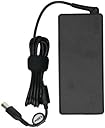
The Lenovo ThinkPad Thunderbolt 3 Dock Gen 2 is a powerful 135W docking station designed for professionals seeking to maximize productivity. It supports dual 4K UHD displays, offers 13 versatile ports including USB and HDMI, and ensures seamless compatibility with USB-C and Thunderbolt laptops. With plug-and-play ease and enhanced network and audio management, itโs the ultimate desk upgrade for multitasking millennials craving efficiency and sleek connectivity.
| Asin | B07M6S81CM |
| Best Sellers Rank | #146,174 in Computers & Accessories (See Top 100 in Computers & Accessories) #259 in Docking Stations |
| Brand Name | Lenovo |
| Colour | Black |
| Compatible Devices | Laptops |
| Country Of Origin | China |
| Customer Reviews | 4.1 4.1 out of 5 stars (1,497) 4.1 out of 5 stars |
| Global Trade Identification Number | 00192158239729 |
| Hardware Interface | Thunderbolt, USB Docking Station |
| Item Dimensions L X W X H | 22L x 8W x 3H Centimeters |
| Item Weight Unit Of Measure | 907 g |
| Manufacturer | Lenovo Group Limited |
| Manufacturer Part Number | 40AN0135US |
| Model Number | 40AN0135US |
| Number Of Items | 1 |
| Number Of Packs | 1 |
| Number Of Ports | 13 |
| Total Hdmi Port | 2 |
| Total Usb Ports | 5 |
| Unit Count | 1 Count |
| Upc | 192158239729 |
| Wattage | 135 Watts |
User
Works well
I bought this for my Lenovo carbon Gen 2 extremely, but it also works with my work laptop (dell precision 5530).
User
EXCELENTE PRODUCTO
Excelente producto, fรกcil de usar.
User
Great docking station for supported Lenovo devices
Product works perfectly to swap my personal Thinkbook Gen 2 and my work ThinkPad T14 to my dual screen setup, external webcam mounted in a ring light, external mic, ethernet, external keyboard and mouse and charge the devices with a single cable.Great for going from work use to personal use at my desk without cluttering things up with extra cables.The Thinkbook wasn't listed as supported, but as a thunderbolt 4 laptop and a Lenovo product I expected a fair amount of functionality should work just fine. Occasionally the Thinkbook has issues booting up connected to the dock. In these cases I power it back down, disconnect the dock, boot the laptop and then connect thunderbolt and close the lid (set to do nothing on lid close in power options).
User
Excellent Product
I loved everything about this product. Handles my UHD 4K Displays very well.
User
Everything worked perfectly with Linux Mint on Levovo laptop
I have a Linux desktop that's a bit old, but works well. I got a refurbished Lenovo L13 Yoga laptop which is newer and faster, and came with Windows 10, upgraded to 11. I immediately put in a 2TB internal SSD, installed Linux but kept Windows on half the drive. I wanted to use this laptop as my main system, connected to my existing monitor, and I have a logitech keyboard/mouse that can switch between 3 systems, so I can use it for the old desktop, and the laptop with both Linux and Windows easily.So... after a short time, I decided that getting a dock would make this all much nicer, and it did. I've been able to reduce cable clutter, have more USB 3 ports, and a wired network connection that doesn't interfere with the USB-C port (Don't know who designed the connectors on my laptop, but they don't both fit at the same time).Got the refurb model of this dock, connected it up with no directions (there were none) and everything worked right off, with no extra drivers or settings. The audio works just like connecting a line out - all automatic. Even the on/off switch works to turn the laptop on and off. I believe it does not charge when off, which will keep it from overcharging. I'd imagine you could get around this if you needed to charge it while off.As a bonus, it charges faster than the charger that came with my refurbished Thinkpad, which was not the original Lenovo charger.By the way, I connected the speakers together with the desktop by using a simple Y-connector for the audio outputs.
Trustpilot
1 month ago
1 week ago